


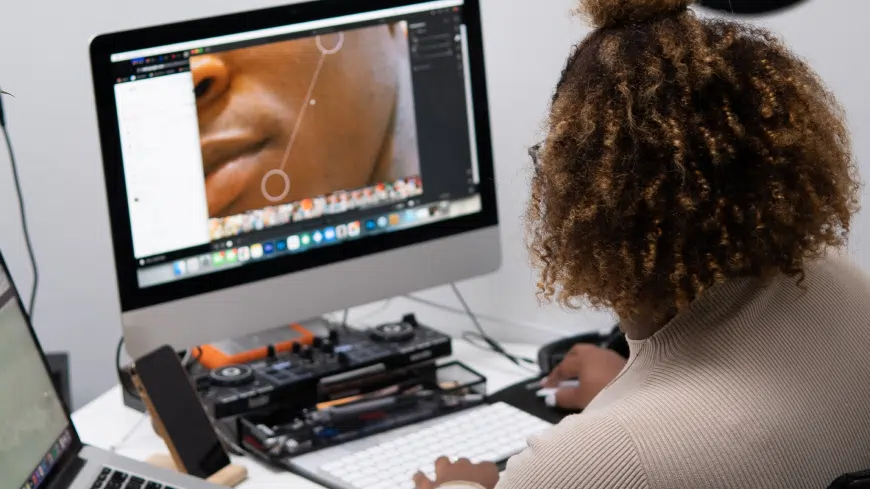
Make your photos look their best on with a Mac
So, you own a Mac, have a bunch of photos you want to thoroughly edit, but don’t yet know what software to use? With so many photo editors on the market, it is natural to get confused. Thankfully, there’s also plenty of help – you don’t have to do time-consuming research of the best photo editing apps for Mac on your own!
We’ve gathered a list of 10 noteworthy programs that differ in complexity, cost, and functionality and took a thorough look at each one. You will also find a list of essential criteria to consider while choosing a photo editor for your Mac. With little useful info, you are likely to find a fitting program depending on your skill level, budget, and requirements. So, let’s dive right in!
1. Photo editors for Mac – top 3 picks
2. How to pick photo editing software
3. Best photo editors for Mac reviews
4. Frequently asked questions
3 Best Photo Editing Software for PC and Mac
PhotoWorks – Best for Casual Editing
PhotoWorks is beginner-friendly software with pro-tier features that is ideal for those looking for a versatile yet accessible photo editor. Its toolkit is easy to master and helps you make advanced edits, from background swap to deep color correction, in seconds. PhotoWorks is a great option for casual users who want simplicity, speed, and high-quality results. Plus, it runs smoothly on a mid-end MacBook or iMac.
Photoshop – Best for Skilled Users
Adobe Photoshop is the industry headliner for professional photographers, artists, and skilled enthusiasts. This software has gained popularity and credibility over the years due to its wide range of manual, automatic, and semi-automatic tools, along with top-notch technology. For people who are willing to climb up the learning curve, Photoshop is among the best photo editors for Mac out there.
PhotoBulk – Best for Batch Processing
PhotoBulk is a photo app for Mac with an intuitive user interface that requires no advanced skills. It offers a moderate range of editing features, but it beats all competition in one specific field. In a few clicks, you can resize, convert, watermark, and rename a large set of photos at once. PhotoBulk is a great choice for anyone who needs to perform batch image edits on a Mac with great efficiency.
Choosing a Photo Editing App for Mac
Mac photo editing software is very diverse. Each app comes with its own pros and cons, and what works for someone else may not work for you. So, with your own goals and needs in mind, you can use the following criteria to pick the best option for you. Or at least greatly narrow down the search field.
- Features. Research the tools and options that the photo editing app offers. Make sure they are relevant to your editing needs and keep extra features to minimum to avoid overpaying.
- Ease of use. A comprehensive user interface with clear menus, icons, and buttons can save a lot of time and help you avoid frustration. Also, if a program includes complex tools, it should include comprehensive tutorials as well.
- Compatibility. Ensure that the app you choose is compatible with your macOS version. Also, check if the app is compatible with various types of input devices, such as graphics tablets and touchpads, if you have any.
- Pricing. Consider the pricing and payment methods. Are there different kinds of payment plans available? Does the app offer a free trial or a refund policy? Is it a one-off purchase, or do you have to get a subscription? Plus, an app that has only the features you need might be much cheaper than a full suite.
- Support. There’s always a chance of running into some technical issues, so consider the speed and quality of customer support provided by the app’s dev team.
Best Photo Editing Software for Mac
We have tested a great many photo apps for Mac, so that you don’t have to. Keeping in mind the list of parameters from above, we have picked and reviewed the 10 best Mac photo editors. So, here’s what have come up with:
1. PhotoWorks
⭐ 4.5/5 Suitable for photographers of all levels
PhotoWorks is a user-friendly photo editing software with both basic and advanced features. It is suitable for photographers of all levels, from beginners to professionals. The software offers a wide range of editing tools, including skin smoothing, color adjustment, and background replacement, to name a few. There’s also an array of automatic tools, from one-click enhancement to batch processing. It also includes presets designed for various themes and occasions.
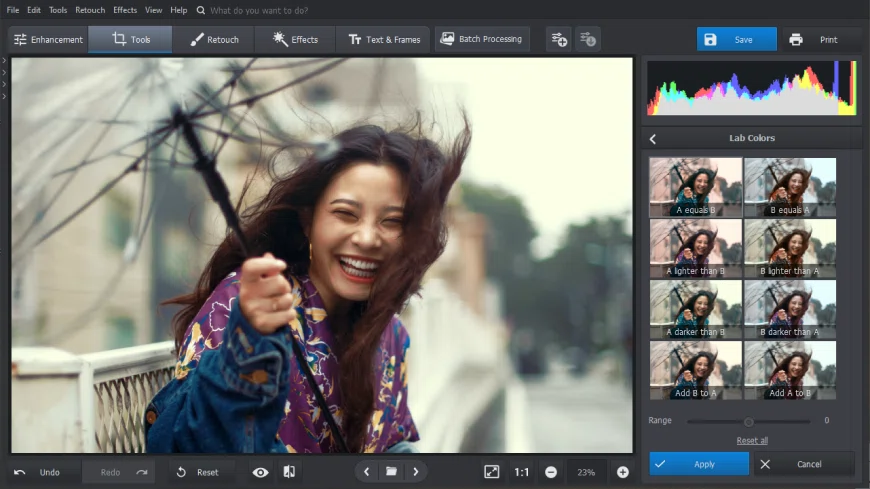
PhotoWorks – an all-in-one suite of photo editing tools
Key features:- Over 200 filters, effects, and 3D LUTs
- Content-aware photo enhancement
- Batch photo processing mode
- Support of 450+ RAW formats
- Built-in portrait editing module
Verdict: PhotoWorks is an excellent photo editing software suitable for photographers of all levels. It is highly recommended for users looking for an efficient and accessible tool.
2. Photoshop
⭐ 4.5/5 One of the most versatile tools on the market
Adobe Photoshop is a powerful and versatile photo editing software that's popular among photographers, graphic designers, and visual artists. It offers a wide range of professional-grade editing tools, including layers, masks, and brushes. While the price point and learning curve can be high, the software's continual updates and improvements ensure it is one of the most relevant photo editing software options available.
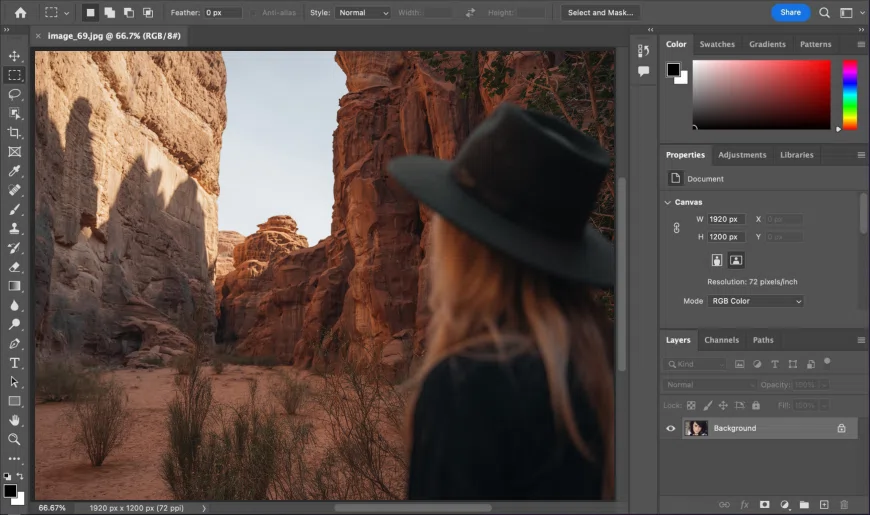
Photoshop, a cutting-edge tool for processing and design
Key features:- Professional-level editing tools
- Support for layers and masks
- Integration with Adobe Creative Cloud
- A huge library of filters and brushes
- External plugins support
Verdict: Adobe Photoshop is an excellent choice for pro-level photo editing and graphic design. But for casual users and people on a tight budget, there are plenty of better options.
3. PhotoBulk
⭐ 4.5/5 Saves lots of time thanks to batch processing
PhotoBulk is a lightweight photo editor software that enables users to bulk edit and resize images. It is best suited for quick, essential editing tasks like resizing, watermarking, and adding overlays for large photo sets. However, those who require advanced features and sophisticated editing capabilities may need to look elsewhere.
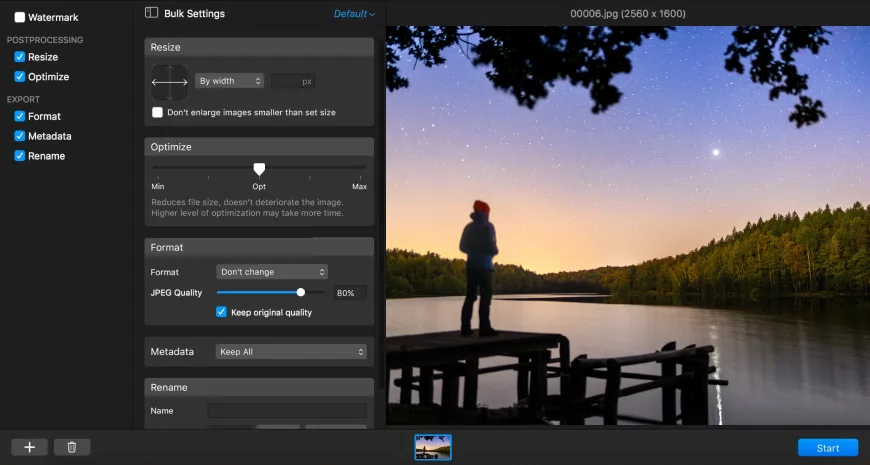
Edit tons of pictures at once with PhotoBulk
Key features:- Batch image resizing
- Easy watermarking
- High-quality compression
- Renaming images in bulk
- Adding custom text or overlays
Verdict: PhotoBulk is a straightforward photo editor with a few primary functionalities, more for individuals or small business owners looking for on-the-go bulk photo editing software with a light learning curve.
4. Pixelmator Pro
⭐ 4.3/5 Great set of tools for editing and design
Pixelmator Pro is a powerful photo editing software for macOS with a range of advanced tools and capabilities that enable the creation of high-quality images. It boasts a user-friendly interface and a wide range of advanced image editing features, making it a popular choice among graphic designers, digital artists, and photographers. However, its lack of third-party plugins and extensions may turn some advanced users off.
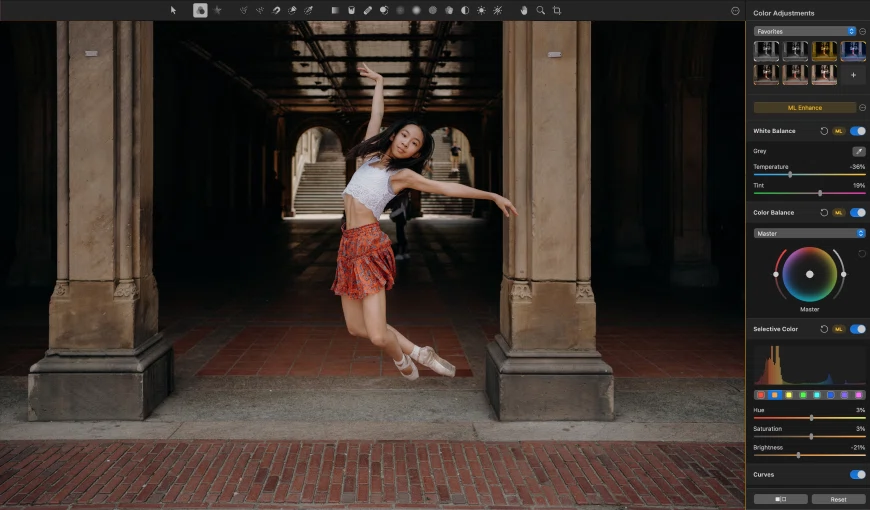
Pixelmator Pro for graphic design enthusiasts
Key features:- Staple graphic design tools
- Non-destructive editing
- Advanced layer support
- AI-powered features
- Presets like VHS and light leaks
Verdict: Pixelmator Pro is highly recommended for beginners and occasional photo editors, who prefer an easy-to-use, reliable and affordable photo editor with advanced features.
5. Lightroom
⭐ 4/5 Best editing workflow for serious enthusiasts and pros
Lightroom is an excellent photo editing and management app for photographers. Its robust editing tools, integration with Adobe Creative Cloud, and mobile integration make it a must-have for any serious photography enthusiast. However, its prowess comes at the price of a steep learning curve, high system resource consumption, and pricey subscription, which might not be suitable for those who want a one-time purchase option.
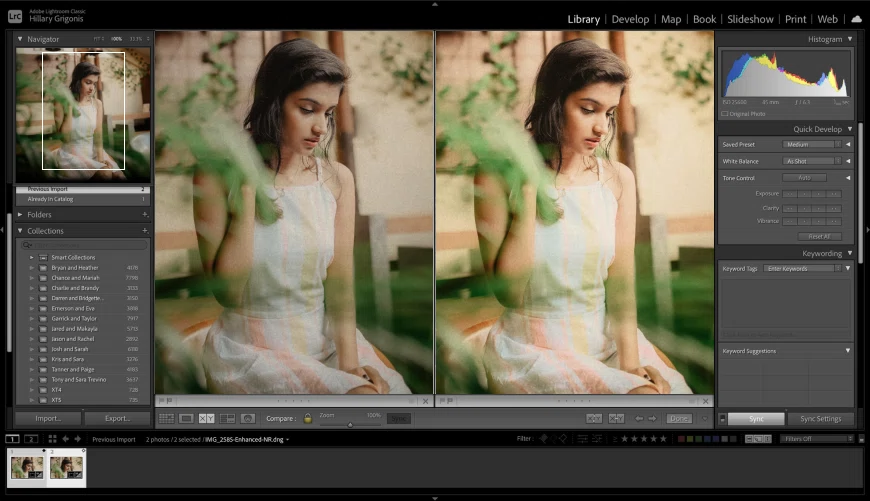
Lightroom is a professional photographer’s best friend
Key features:- Convenient file management and batch processing
- Array of filters and color correction presets
- Face detection for a smoother retouching
- Camera and lens-based corrections
Verdict: Lightroom is an excellent choice for photographers who want a powerful, all-in-one tool for photo editing and management, unburdened with extensive painting tools. While there are a few downsides, the pros far outweigh the cons.
6. GIMP
⭐ 4.3/5 Completely free and highly customizable image processor
GIMP (GNU Image Manipulation Program) is an open-source software with a wide range of features for photo editing and graphic design. Its open-source nature makes it easily modifiable with various plugins and extensions, making it a favorite among graphic designers and digital artists. However, its steep learning curve may be intimidating for beginners, and it's not compatible with Adobe formats.
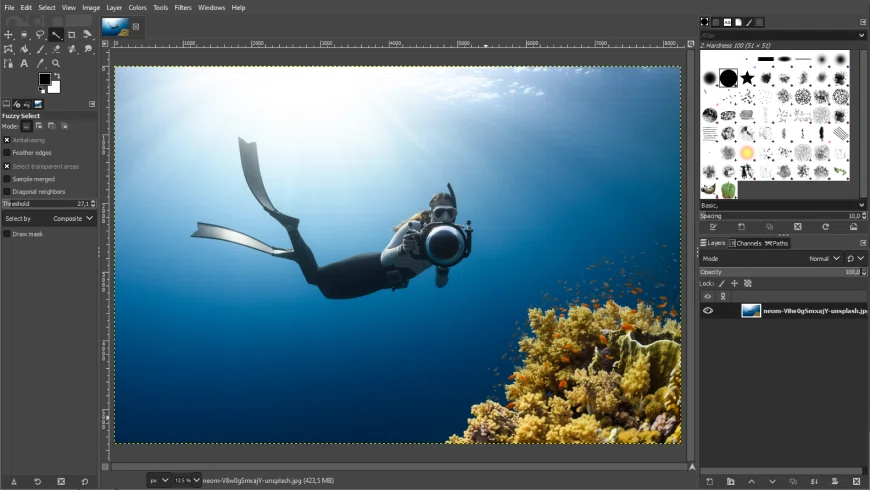
GIMP is a free tool to rival any paid program
Key features:- Highly customizable workflow
- Support for a range of file formats
- Advanced layer support, masks, and more
- Wide range of image effects and filters
- Built-in scripting engine
Verdict: As far as free photo editing software goes, GIMP is a fantastic choice for anyone looking to take their photo editing to the next level, with a plethora of resources and tutorials available online.
7. Luminar Neo
⭐ 4/5 A unique suite of advanced AI-powered tools
Luminar Neo is a suite of AI-powered tools for fast and accurate editing. It also includes a range of filters, layers, and masks. The customizable interface and non-destructive editing workflow make it easy to use. However, it may lack some of the more advanced features and may not run smoothly on older machines. Also, some features require a separate purchase or subscription.
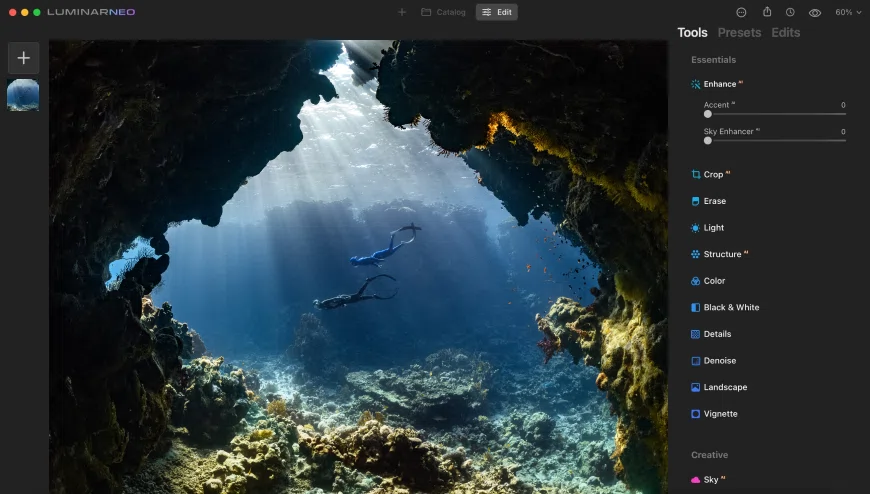
Let the AI do the heavy lifting with Luminar
Key features:- Powerful and intuitive AI tools
- Customizable and user-friendly interface
- Supports multiple file types, including RAW
- Wide range of filters, layers, and masks
Verdict: Overall, Luminar Neo is an efficient photo editing solution for Mac, beginners will find it easy to use, while pros might consider it somewhat basic.
8. DxO PhotoLab
⭐ 4/5 An excellent tool for image corrections
DxO PhotoLab is a powerful photo editing software that provides users with both basic and advanced editing tools. It boasts a Lightroom-like interface and impressive image processing capabilities that make it a popular choice among professional photographers and hobbyists alike. On the downside, it does come with a price a bit too high for the offered tool set.
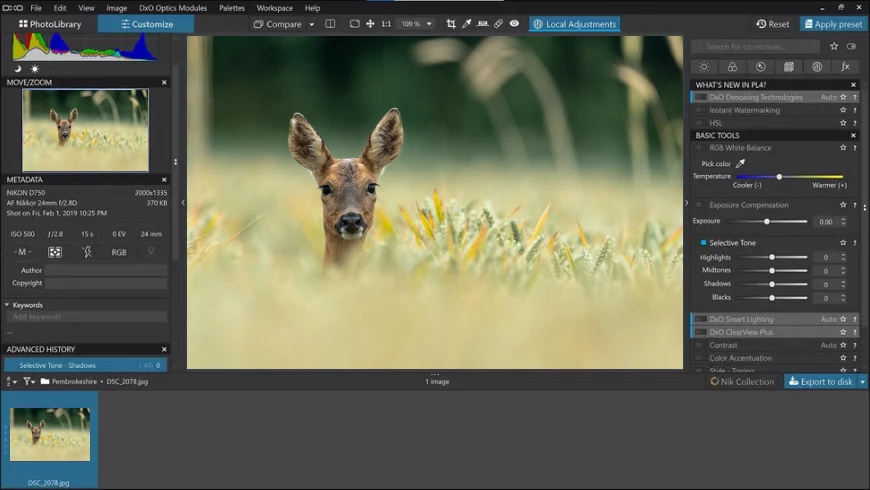
DxO Photolab will help you get rid of blemishes in the picture
Key features:- RAW image processing
- DCP color profiling
- U Point local adjustments
- ClearView haze removal
- Customizable workspace
Verdict: Despite some small downsides, DxO PhotoLab is recommended for its versatility, power, and excellent results.
9. Apple Photos
⭐ 4/5 One of the best free photo editors on Mac
Apple Photos is the default photo organizer and editor for Apple's macOS operating system. It allows users to view, organize, and edit their photos and videos all in one place. Additionally, it syncs seamlessly with the user's Apple devices, making it an integral part of the Apple ecosystem. However, those who require more advanced editing tools or need to work with professional-grade photos may want to look elsewhere.
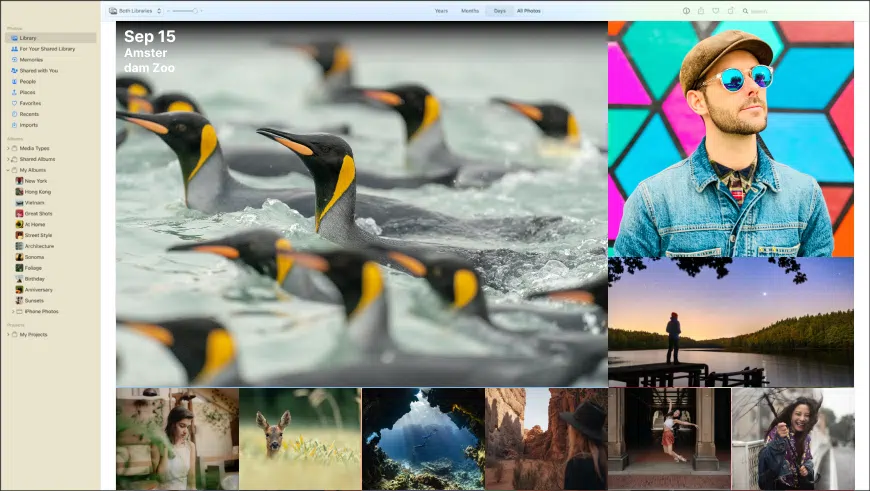
Apple Photos covers all basic editing and sorting needs
Key features:- Automatic sorting by time and location
- Wide range of editing tools and filters
- Integration with Apple iCloud
- Facial recognition feature
- Third-party extensions support
Verdict: Overall, Apple Photos is highly recommended for those who want an intuitive, all-in-one solution for basic photo editing and organizing needs.
10. Preview
⭐ 4/5 Great stock app to organize and edit photos on a Mac
Apple Preview is an image viewer and basic editor that comes with macOS, and a solid choice for basic image and PDF editing needs. While as Macintosh photo software it is quite limited, it’s easy to use and navigate, making it accessible for a wide range of users. The annotation tools provide added functionality for PDF files, making it a useful tool for business and personal use.
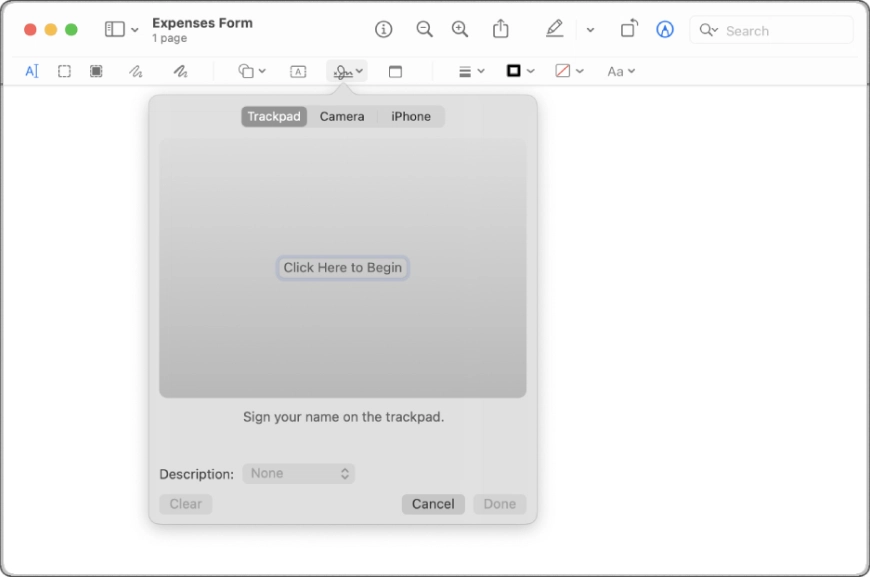
Preview will help you with images and documents
Key features:- Viewing and editing of images and PDFs
- Basic tools for color adjustment, cropping, and rotation
- Annotation tools for highlighting, underlining, and adding text
- Integration with other Apple applications
Verdict: Apple Preview is recommended for individuals who require basic editing tools for quick edits and touch-ups, but isn't recommended for advanced photo editing.
Frequently Asked Questions
Yes, Macs do come with photo editing software called Apple Photos. It's a built-in editor that offers a range of editing tools for making simple changes to photos, such as rotating and cropping, to more advanced adjustments like color correction and filtering. Apple Photos is an excellent option for basic photo editing needs.
Here are five photo editing programs, with which you can experience best photo editing for Mac on the beginner level:
- PhotoWorks
- Adobe Lightroom
- Apple Photos
- PhotoBulk
- Preview
The best photo software for Mac you can pick depends on your personal preferences and goals, as well as a set of characteristics that you can keep in mind for a more informed choice. However, here are our top 3 picks for various purposes: PhotoWorks for uncomplicated high-quality editing, Photoshop for deep professional-grade processing, PhotoBulk, for editing huge sets of images simultaneously. You can also check a longer list of programs with more detailed review.
Photos - a vendor-supplied app for mac to edit images and sort your albums. It offers standard tools like cropping and filtering, as well integration with iCloud, allowing users to access their photos from multiple devices.
Preview - mainly a PDF viewer, but with basic editing tools such as cropping, resizing, and rotating, making it a quick and easy option for simple photo edits.
GIMP - GIMP is a free and open-source image editor with an extensive set of powerful features and is suitable for advanced photo editing needs.